
NiVoca (Legacy)
2026-02-22 ~ 2026-08-06
Intro
NiVoca is a Japanese vocabulary app with quizzes, OCR word recognition, and other features.
I built it for my own convenience: I wanted to enter and add Japanese words more easily.
As a Korean smartphone user, I normally use Korean/English keyboards. Adding Japanese takes me outside my usual input routine and makes it inconvenient.
I first considered automatically changing the IME when the word input received focus. However, that capability had long been blocked because it would arbitrarily control the user’s device, so I gave up and put the idea aside for a while.
With recent AI advances making vibe-coded apps and web services so easy to build, I suddenly wondered whether I could finally create the Japanese vocabulary app I had wanted, and started developing it.
The initial need—arbitrarily switching the IME—was still impossible. When I asked AI for a design, it suggested waragana, a library that automatically converts English letters to hiragana. I considered that an acceptable compromise and proceeded.
As development continued, I wanted photo recognition for adding words and learning features with an on-device LLM using the recently released Gemma4. The result grew beyond the original plan into an app that I consider quite useful.
During development, I felt that Web / ReactNative alone limited access to native app features, especially on-device LLMs. I decided on a full Flutter refactor and to keep the Web and React Native versions as archives.
I therefore made this repository public after removing credential keys, UI design records, and a few other items.
Because it was developed through vibe coding, I cannot guarantee the quality, but the core features are configured to work, so I hope it serves as a useful reference.
Project
Site links
Tech stack
| Area | Technologies |
|---|---|
| Framework | Next.js 16 (App Router, Turbopack) |
| UI | React 19, Tailwind CSS 4, shadcn/ui (Radix) |
| State management | Zustand (authentication/scanning), otherwise local state |
| Data | Supabase (login) |
| Spaced repetition | FSRS (ts-fsrs) |
| OCR | Tesseract.js, LLM Vision, on-device Gemma (LiteRT-LM) |
| Native shell | Expo 55 + React Native WebView |
| Tests | Vitest, Playwright |
| Deployment | GitHub Actions → Docker → Nginx (personal Linux server) → CloudFlare |
| Package manager | Bun workspaces (monorepo) |
The monorepo is structured as follows.
nihongo-vocabook/├── apps/web/ # Next.js PWA (본체)├── apps/mobile/ # Expo iOS 앱 (WebView + 네이티브 기능)└── supabase/ # 마이그레이션 / 시드Development process
Initial technology choices
- Next.js + PWA
- My only app-development experience was a brief Flutter project seven years ago, so I chose the familiar web.
- Use a PWA to provide app-like usability
- Supabase
- Handle authentication, database, and RLS together for a personal project
- Chosen to keep development simple without worrying too much about the backend
- Bun
- Tried it because it was said to be faster than node and pnpm together
- Used the latest library versions; as a personal project there were no version constraints preventing newer technology
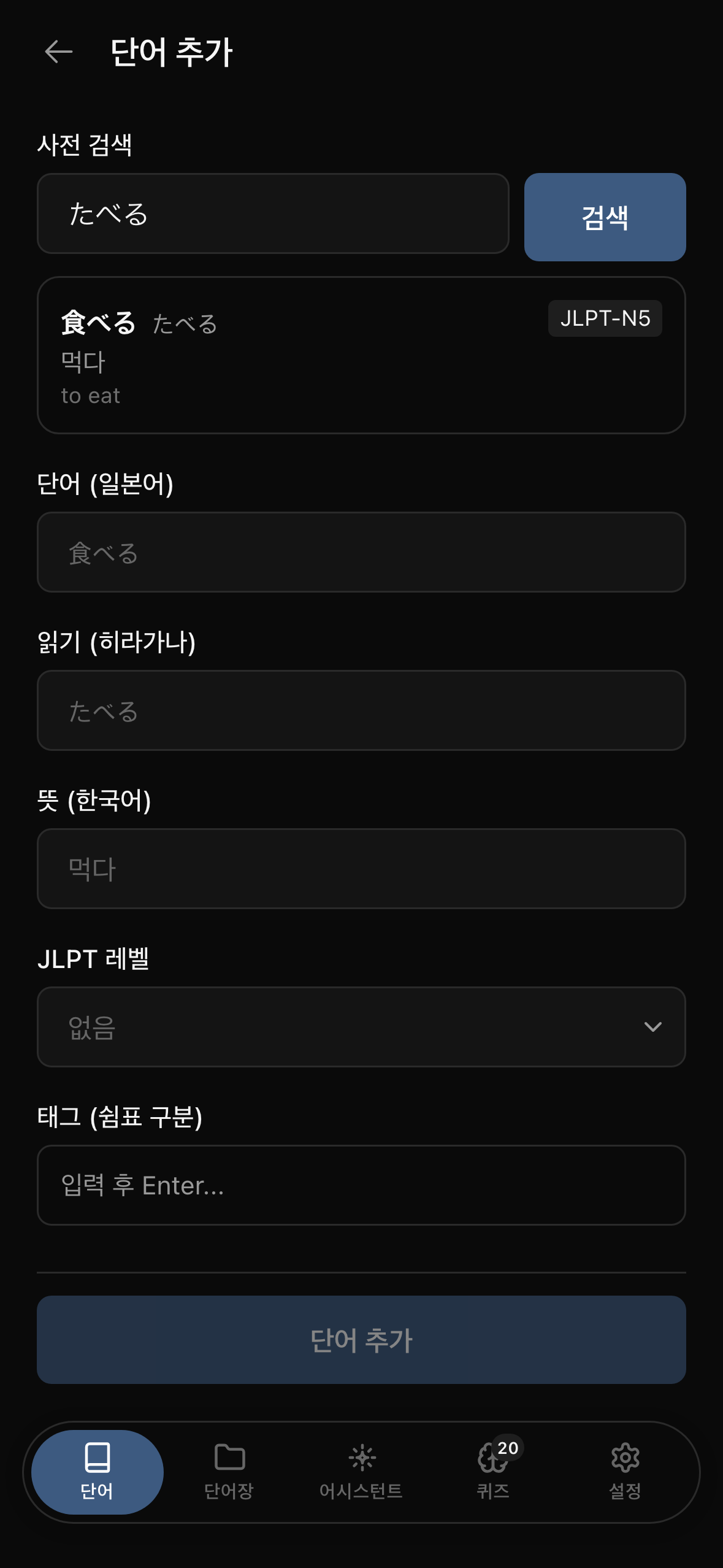
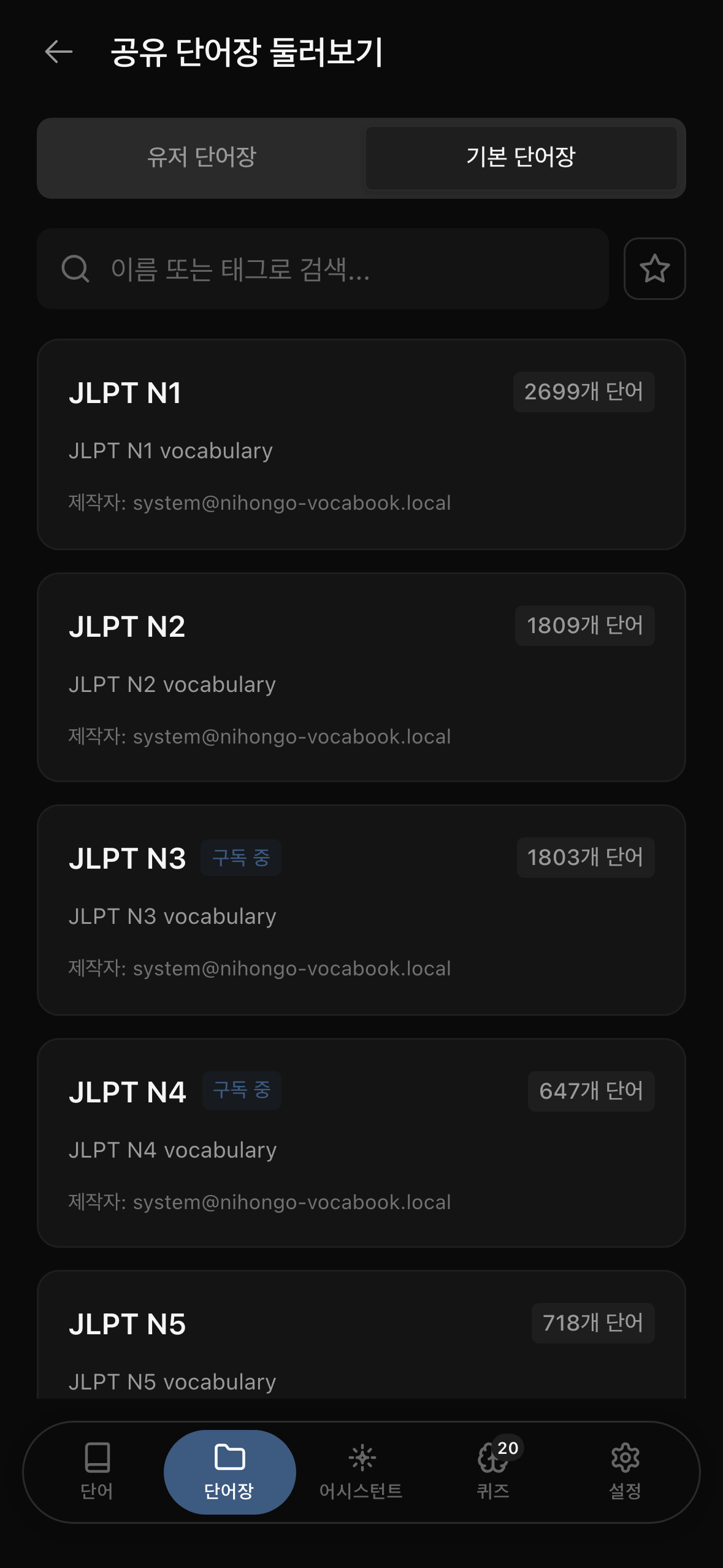
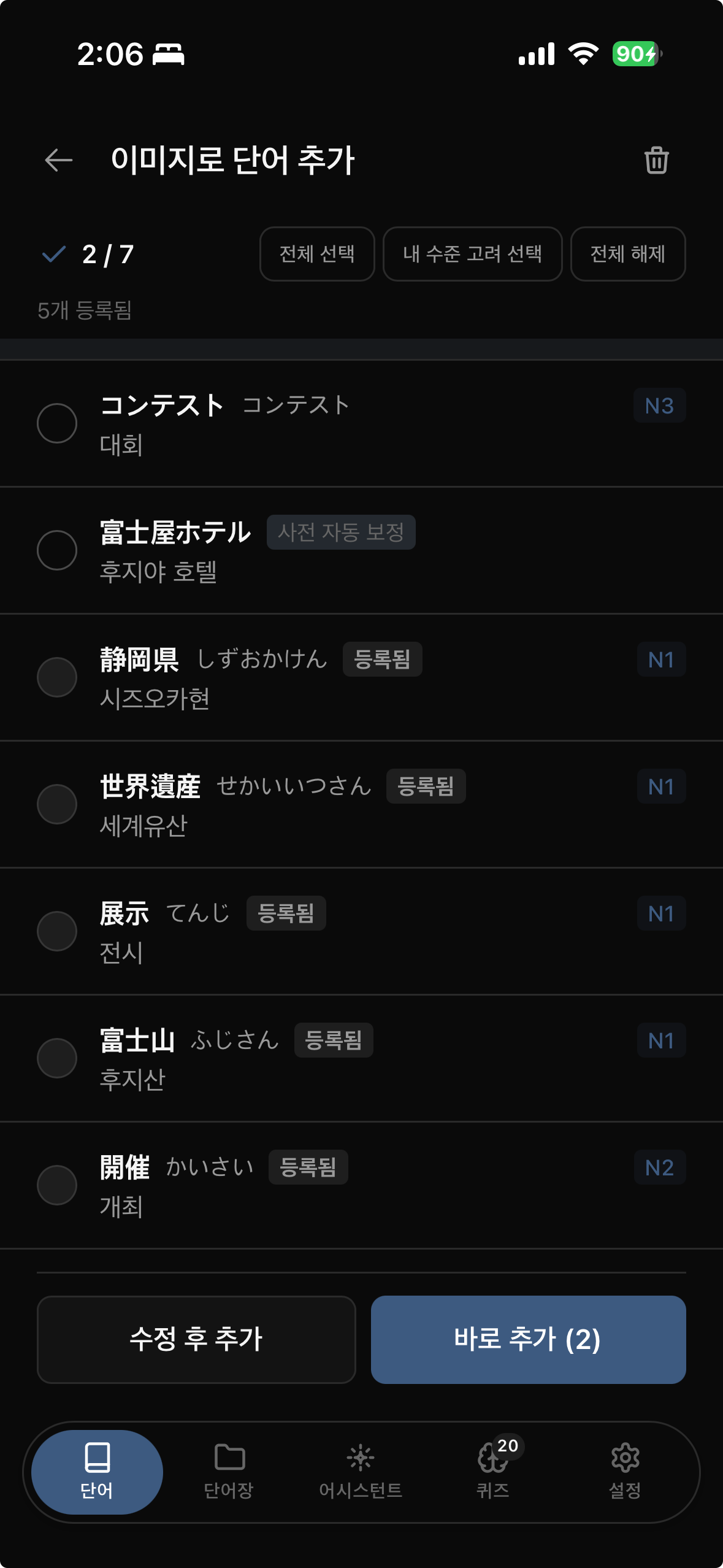
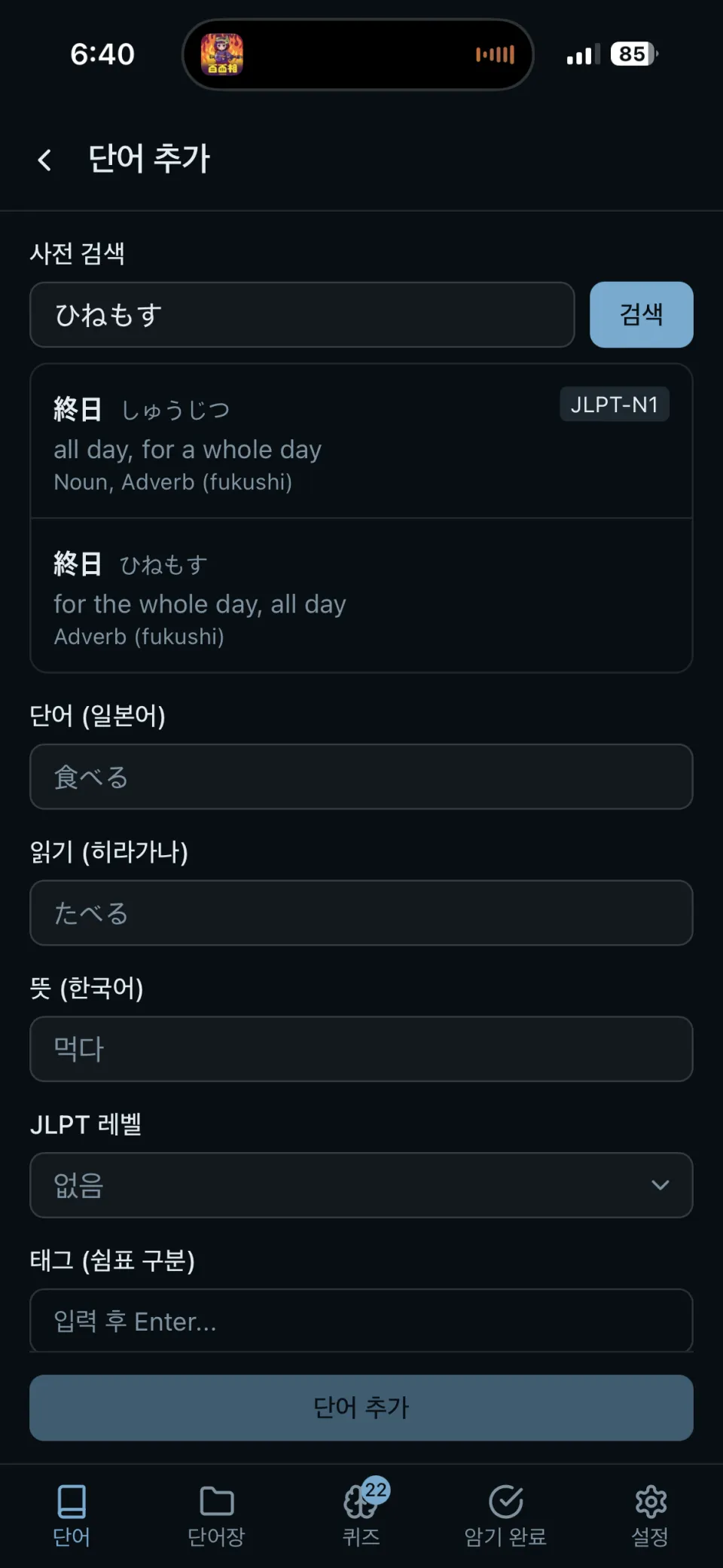
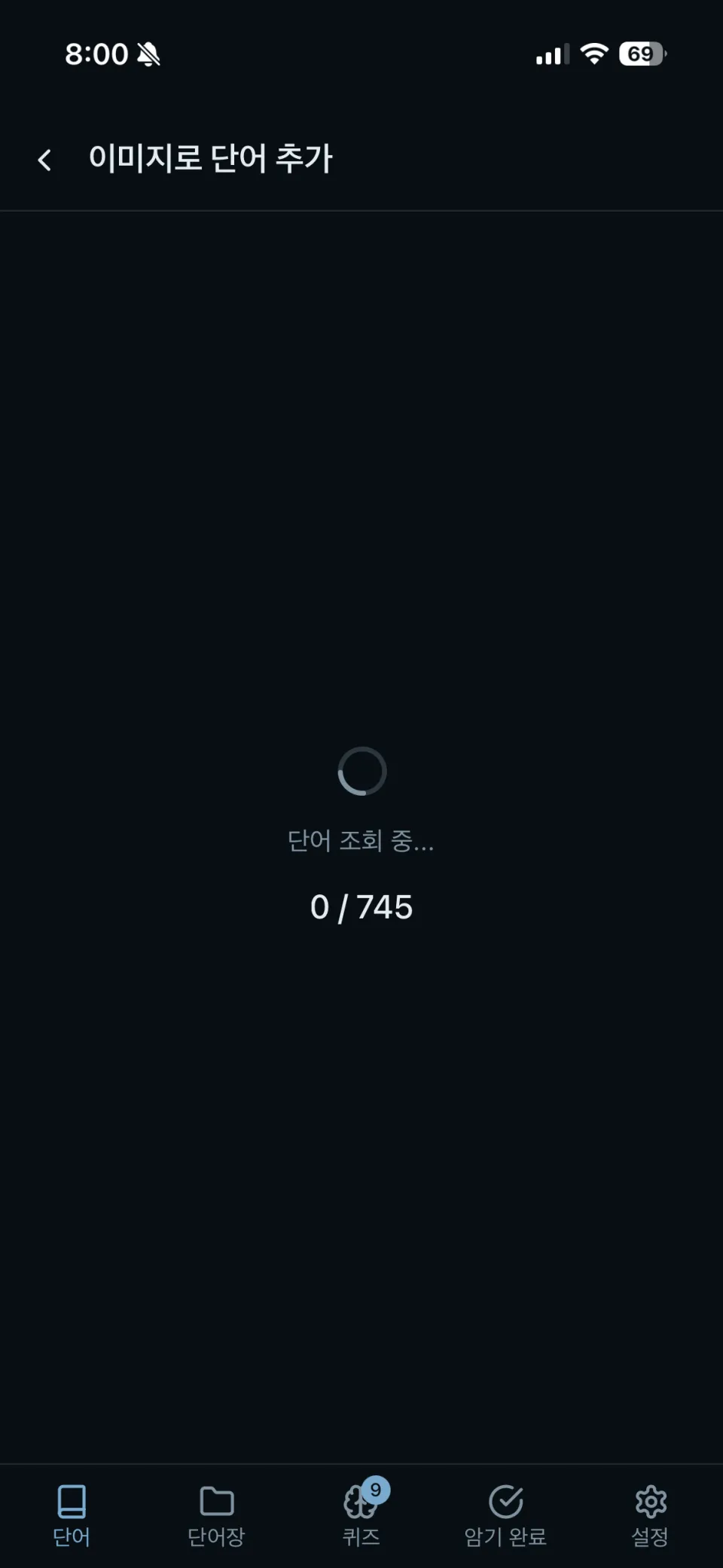
The initial UI looked like this. Selecting a dictionary result fills the word, reading, and meaning, while alphabetic input passes through waragana into hiragana.
| Add a word (dictionary search) | Add words with image OCR |
|---|---|
 |  |
Initial design
- Available without signing in
- IA organized into Words / Wordbooks / Quizzes / Settings
- Flip between 「word only」 and 「word + meaning」 while memorizing
- Quiz settings
- Initially SRS
- After discussion with AI about odd behavior, customize the FSRS setup (using it as-is did not fit my UI/UX)
- Enter hiragana through alphabetic input using waragana
- Import open-source Japanese/English word data and translate it into Korean with an LLM (claude sonnet)
- Search the dictionary stored in the database first, then the Jisho api if missing, then an LLM (gpt5) if still absent; otherwise return no results
- Use Supabase for database and authentication
Item 1 (guest usage) was later withdrawn.
Initially, a separate guest store used IndexedDB (Dexie), switching Repository implementations based on login state.
But handling migration from guest data into server data after login made state management unmanageable.
In the end, I removed guest storage entirely and abandoned guest mode.
Quizzes and spaced repetition
I actually spent more time here than on collecting words.
Replacing SM-2 with FSRS
- I first implemented the classic Anki-style algorithm (SM-2) myself, but its review intervals did not feel right.
- Switched to
ts-fsrs, keeping default algorithm parameters and customizing only the UI/UX layer above it. - Migration traces remain:
study_progress.ease_factoris an SM-2-era field unused by FSRS, but the column still exists.
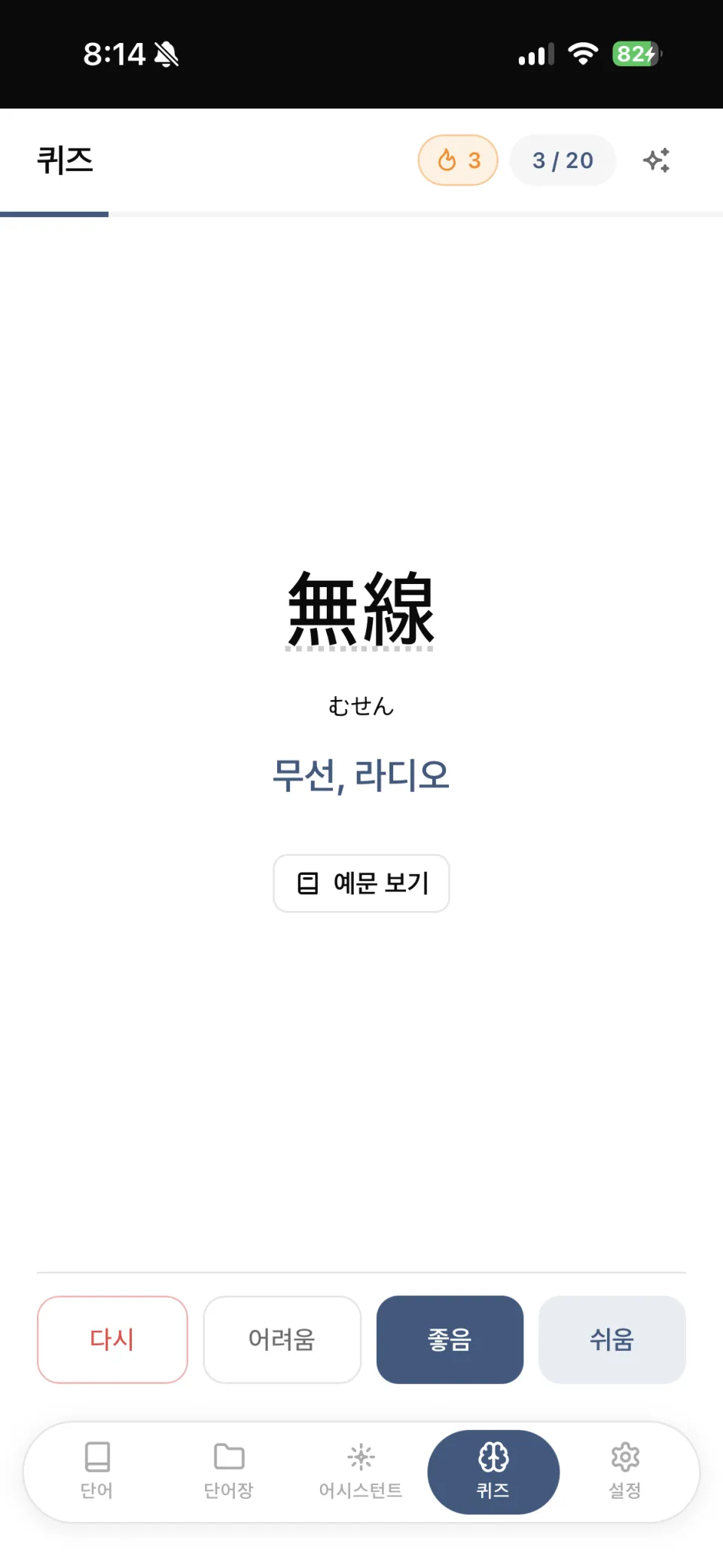
Four ratings with next-interval previews
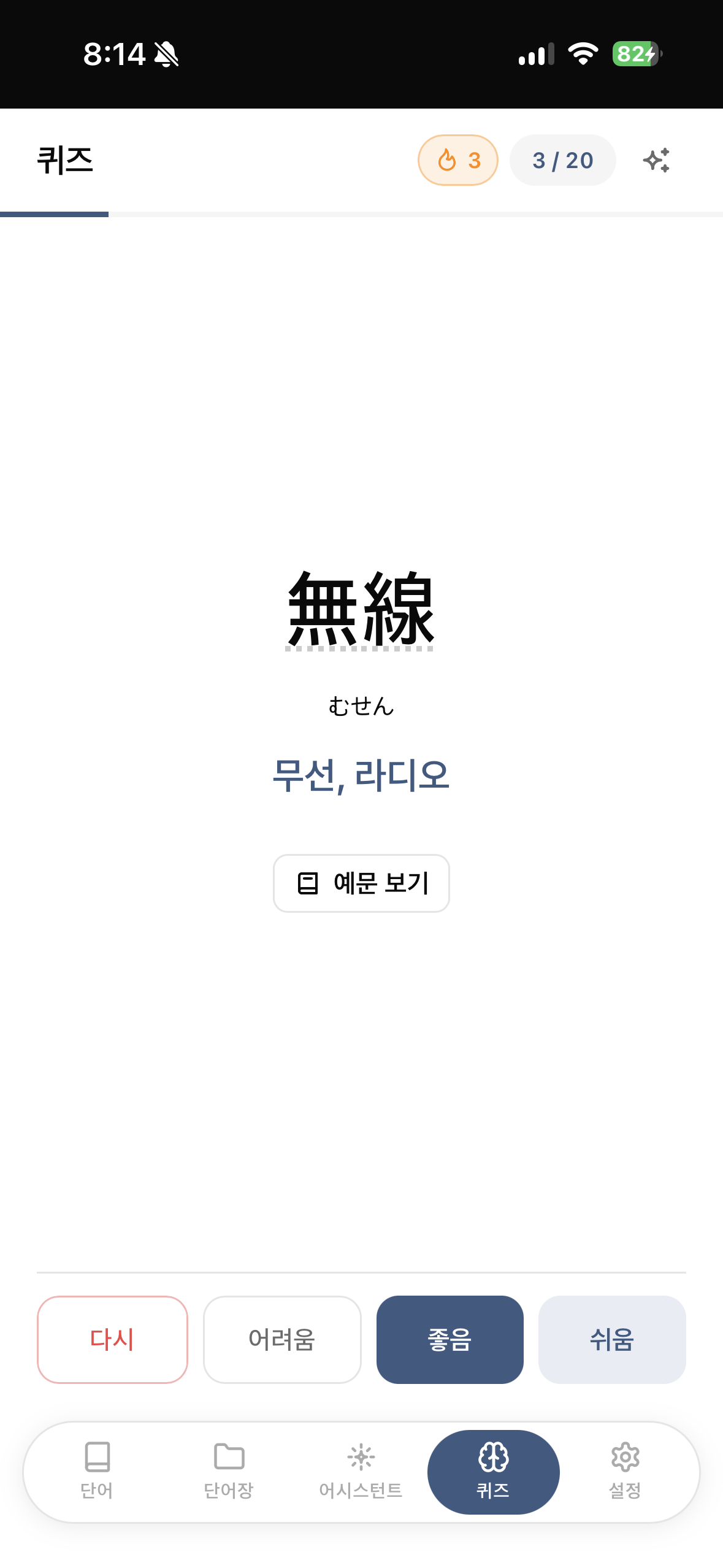
- Four buttons: Again / Hard / Good / Easy
- Show each button’s next review time before it is pressed (for example, 「Easy = in 20 days」)
- Intended to avoid choosing ratings just by intuition
Two card types
- Word cards — flip, with word → meaning, meaning → word, or random direction
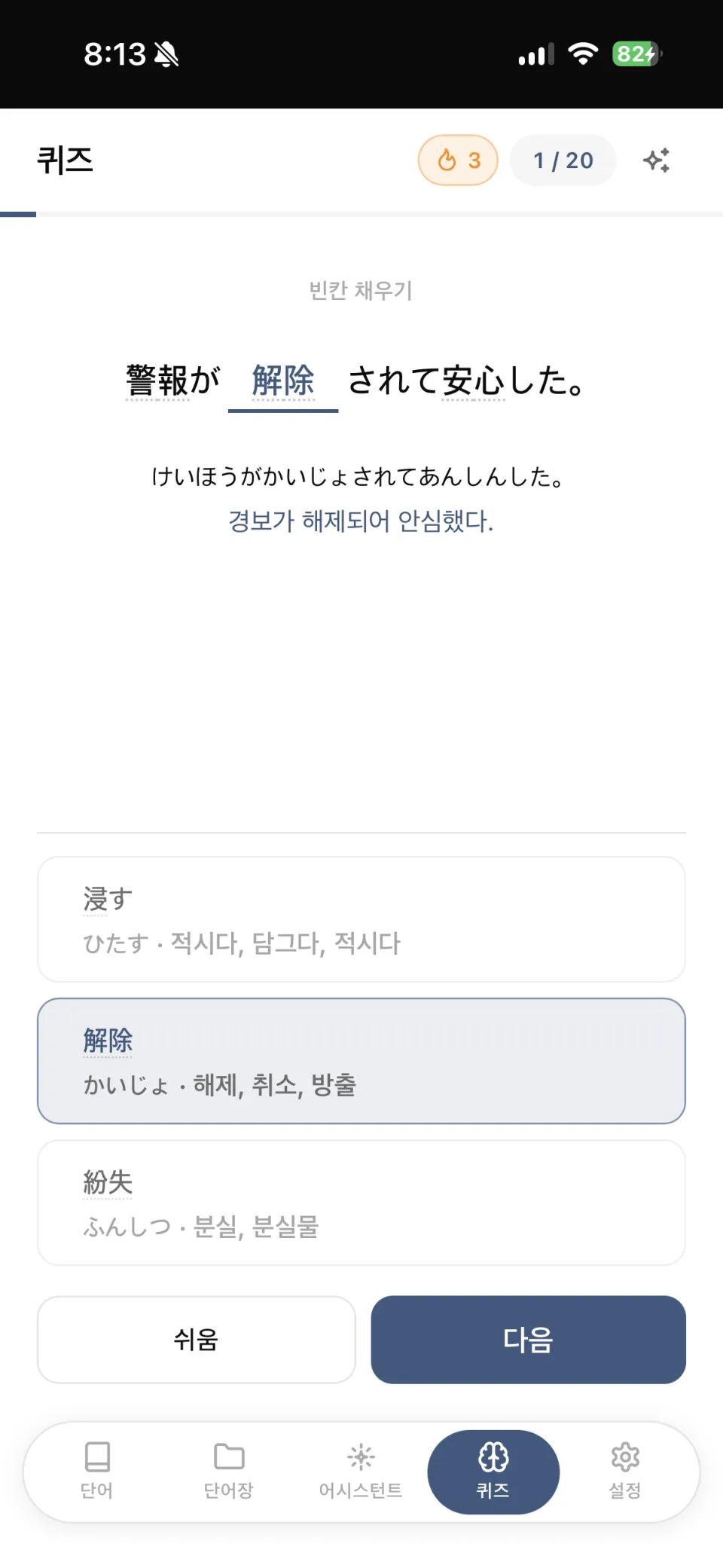
- Example cloze cards — replace the target word with
____and offer three choices (two distractors from other words). The default ratio is 30%, adjustable in settings.
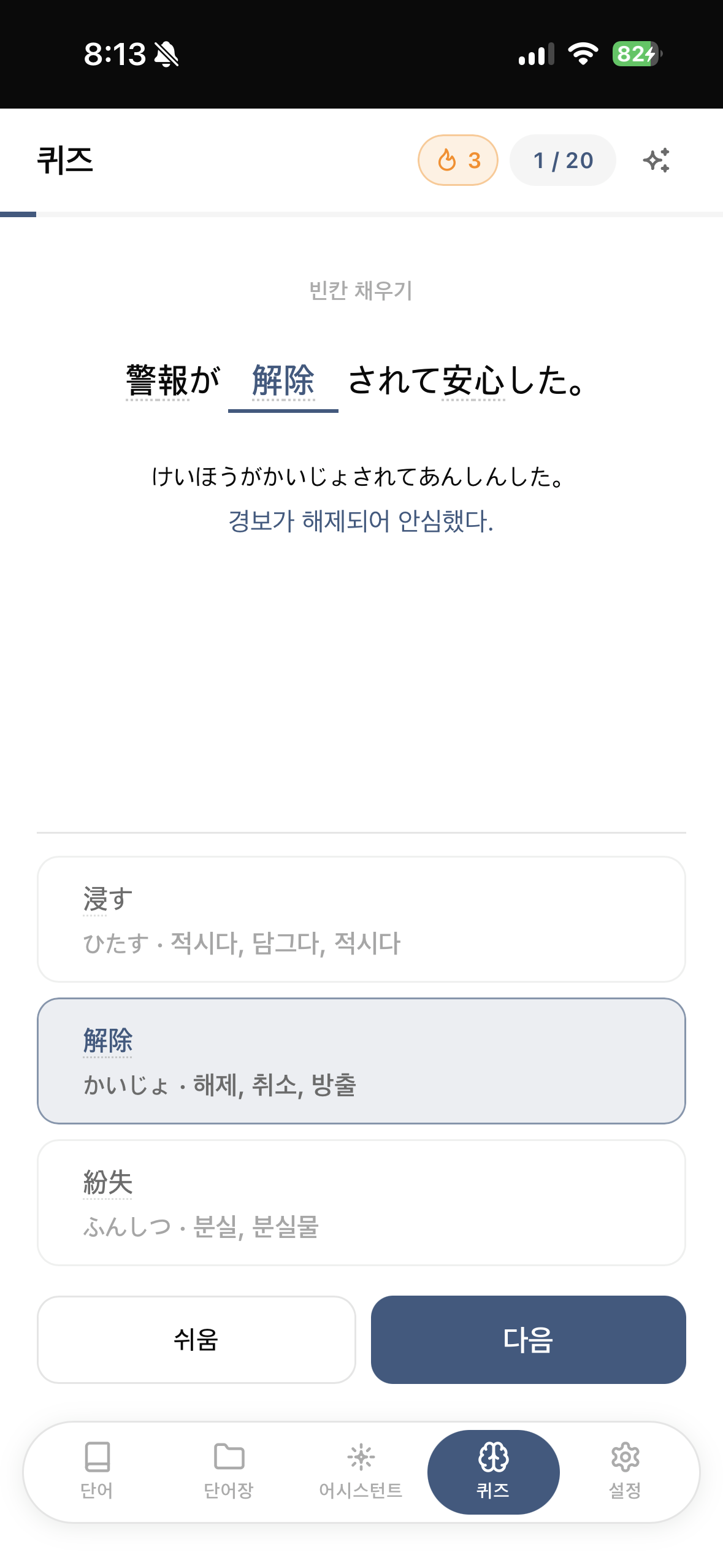
Choosing where to place the blank was trickier than expected because dictionary forms (食べる) appear as conjugated forms (食べます) in examples.
- Use the dictionary form if it appears unchanged in the sentence
- Otherwise strip trailing hiragana one character at a time to find a fragment retaining kanji (
食べる→食べ) - For words with no kanji at all (
する,できる), give up and discard the card
How today’s questions are chosen
Sort by the product of priority weight × JLPT level proximity × overdue multiplier.
- Priority: high 1.0 / normal 0.7 / low 0.4
- Overdue multiplier: not overdue 0.8, within 3 days 1.0, over a week 1.5
In use, I noticed tied words were always selected in the same order.
- Multiply the final score by ±15% jitter to randomize ties
- Priority and overdue differences (usually 1.4–3×) exceed the jitter, so urgent cards do not fall behind.
- New cards were biased toward input order, so I created a separate RPC that randomly selects them from the database.
Automatic mastery / leeches
- Two consecutive Easy ratings automatically mark a word 「Mastered」 and remove it from the queue
- Frequently missed words are marked as leeches (default 8 misses, configurable)
Session restoration
- Users needed to continue after leaving the app mid-quiz
- localStorage stores only word-ID order and current position. Examples and distractors are heavy, so they are regenerated when loading.
- Discard the session when the date changes
Accuracy is a weighted average
Count 「how confidently it is known」 rather than a binary correct/incorrect result.
| Again | Hard | Good | Easy | Mastered during session |
|---|---|---|---|---|
| 0 | 20 | 50 | 80 | 100 |
Settings also control daily goals (20 words by default), JLPT/priority filters, study reminders, and 22 achievements (word count, consecutive study days, total reviews, flawless sessions, and more).
| Word card (flip) | Example cloze card (three choices) |
|---|---|
 |  |
Expanding features
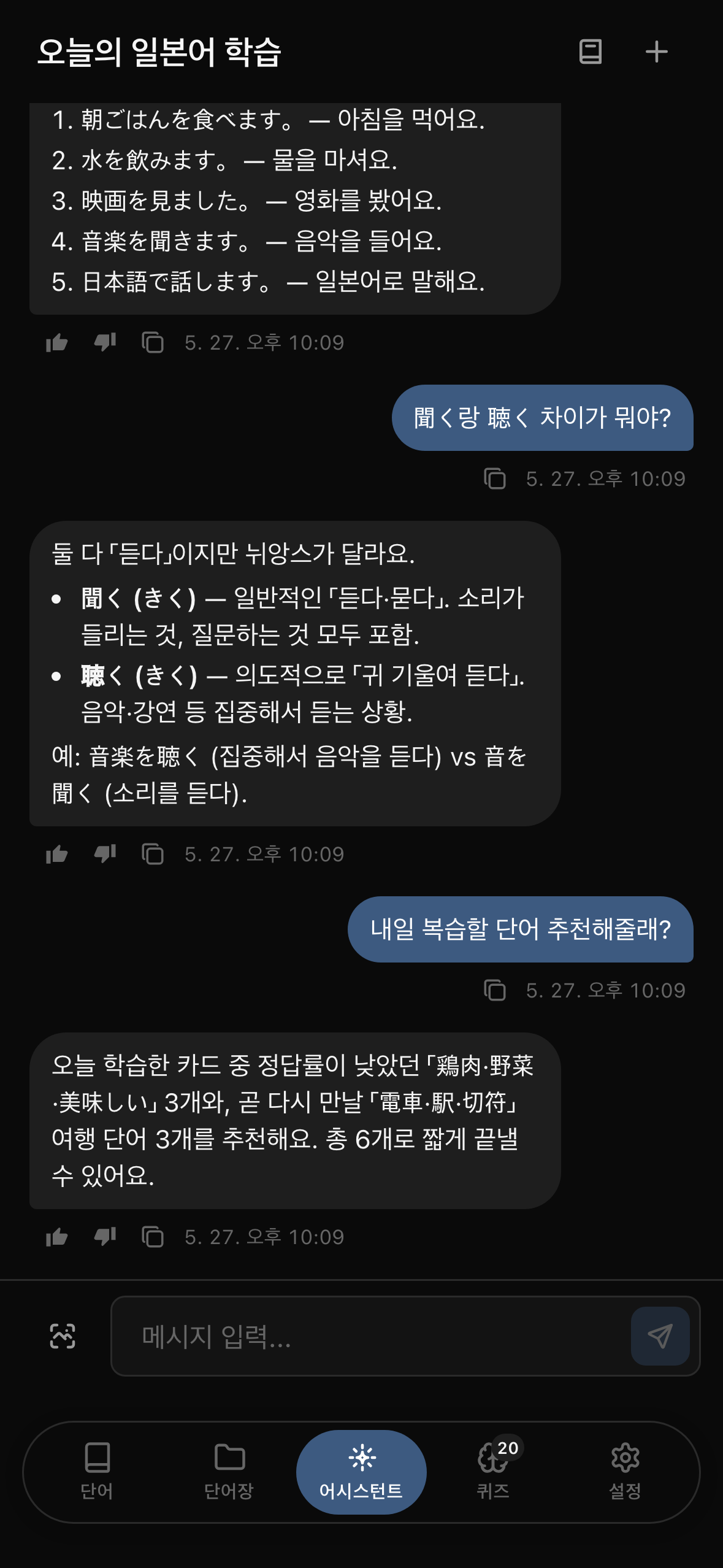
- Enhanced OCR and Japanese study with an on-device LLM (Gemma4)
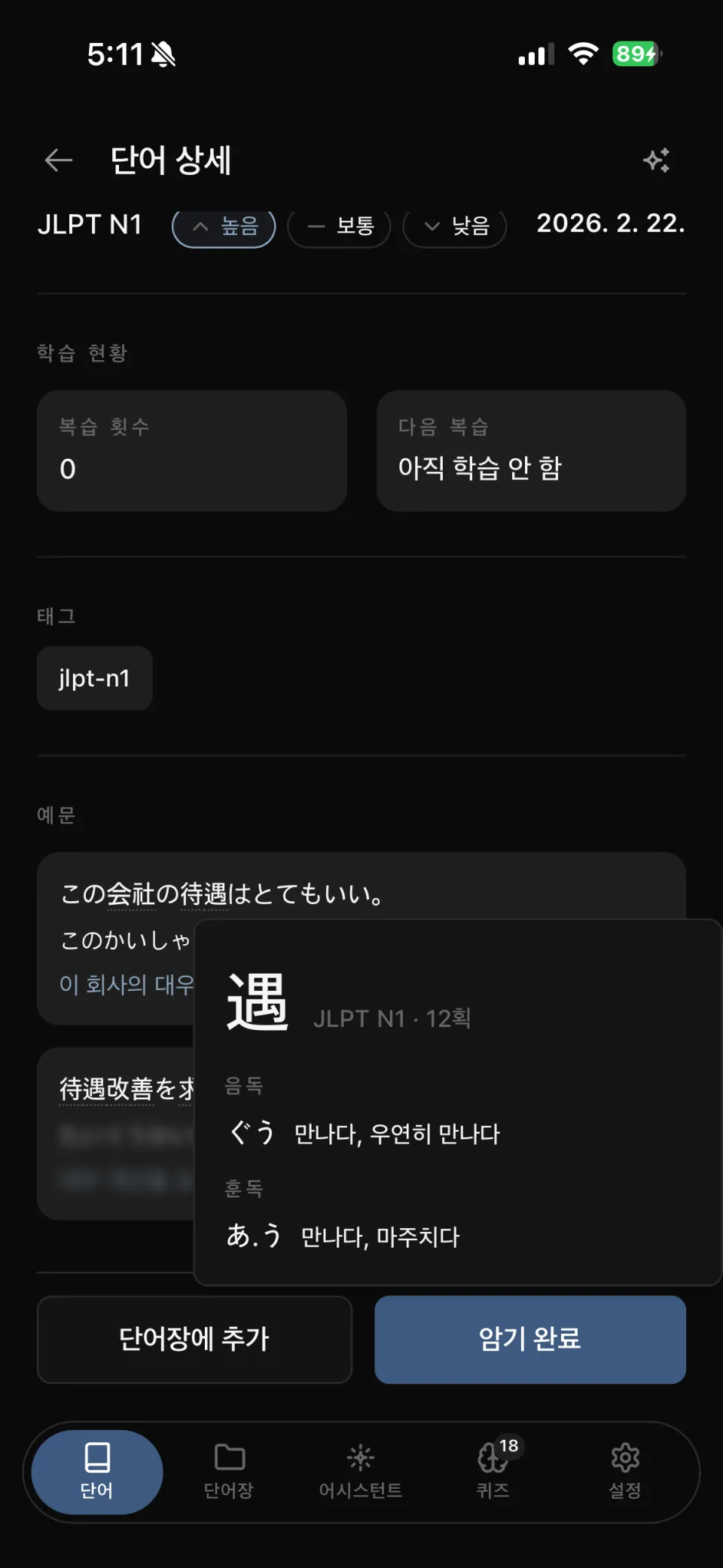
- Click a kanji in a word to see meanings and yomigana based on its kun/on readings
- Examples for each word
- Generate kanji and example data with an LLM (claude sonnet)
- A full UI/UX redesign
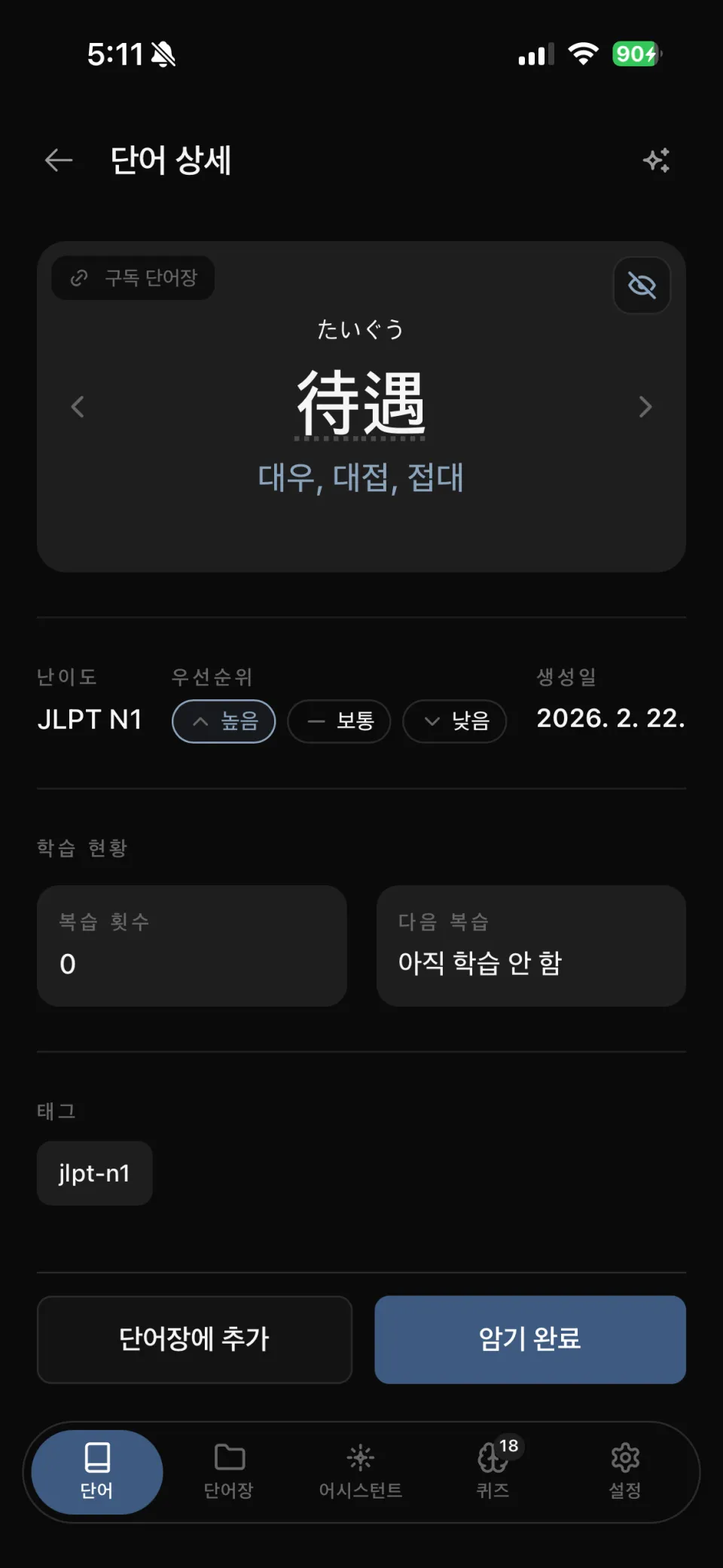
Clicking kanji in word details expands its on/kun readings and meanings in place. Examples include furigana and Korean translations.
| Word details | Examples and kanji on/kun readings |
|---|---|
 |  |
The UI was refined continuously rather than rebuilt all at once. Screenshots in this article were therefore taken at different times and differ slightly.
- Bottom tabs: 「Mastered」 was replaced by 「Assistant」 when the on-device LLM was added
- Tab bar: flat bar attached to the bottom → active-tab pill → floating capsule for the whole bar
- Word details: difficulty, priority, and study status visible together, with a subscribed-wordbook badge added
I redesigned the logo at the same time.
| Initial logo | After redesign |
|---|---|
 |  |
Introducing React Native and Expo
- Switched because the web environment’s 1gb memory limit was unsuitable for on-device LLM use
- RN was suitable for reusing next.js build output
- Decided to try expo for easier App Store deployment
More precisely, the screens were not rewritten in RN: it was a shell wrapping the existing Next.js website in a WebView. Screens and logic used the existing web output, with bridges only for native needs such as camera, notifications, and on-device LLM inference.
[ Next.js (WebView) ] ←→ bridge ←→ [ Expo Native ] 화면 · 로직 카메라 / 알림 / on-device LLMFreezing this project and moving to Flutter
- Awkward RN usability:
- Possibly because vibe coding left optimization incomplete, many parts felt oddly sluggish.
- The extra js -> swift layer made full use of native features difficult.
- Limits on on-device LLM use
- Many things failed in subtle ways because it was not native. An iphone15pro should have enough memory for gemma4 e4b, yet the app crashed when using e4b.
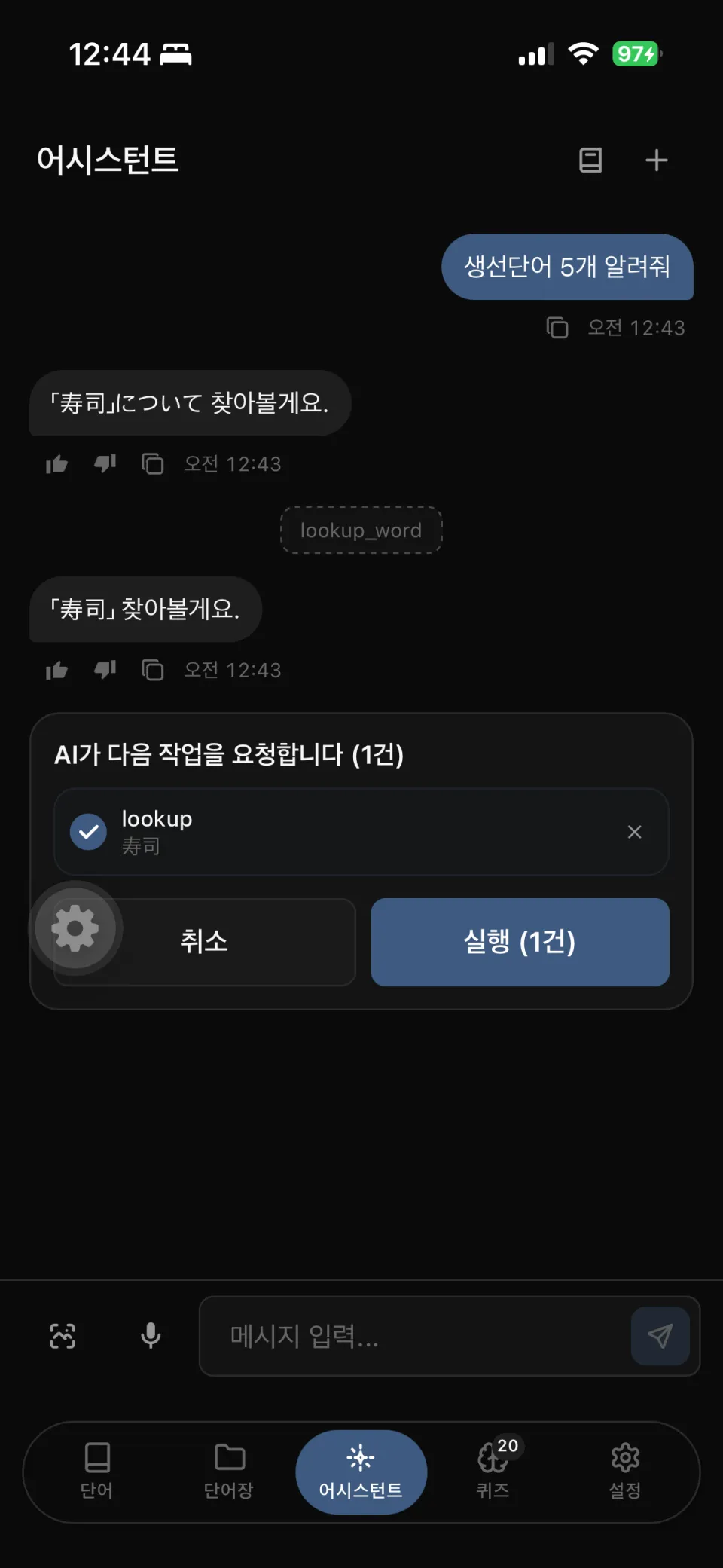
- e2b was too small and kept giving strange answers. Prompts over 1,000 characters did not work properly, and function calling was unreliable.
- Expo inconvenience
- The free plan has build limits => subscribing to a paid plan felt a bit expensive for a side project.
- Low build priority could mean waiting an hour before a build started…
- The free plan has build limits => subscribing to a paid plan felt a bit expensive for a side project.
For these reasons, I archived the project and switched entirely to Flutter.
I chose flutter for simultaneous ios/android support and its near-native behavior despite being cross-platform.
Making a public archive
It felt wasteful to leave the project private, and I thought I might write a blog post about it, so I removed sensitive material and made it a public archive.
The “_docs” and “_note” folders contain my AI discussions and planning from working on the project.
Deployment environment
As with the blog, deployment uses a self-hosted runner on my personal Linux server.
- GitHub-hosted runners build and upload artifacts
- The self-hosted runner retrieves artifacts, builds a Docker image, and replaces the container
- Nginx reverse proxy and Cloudflare domain integration
Retrospective
What went well
- Fast feature development through vibe coding => replacing OCR, withdrawing guest mode, and moving to RN all happened at a pace that allowed trying first and judging afterwards, without delaying decisions.
- Filling the dictionary with open-source data and LLM translation. Manually entering tens of thousands of words was not feasible for a personal project.
- Getting through App Store review and releasing the app. Side projects often stop once they run locally, but the experience of store registration, review, and the deployment pipeline remains.
What could have gone better
- Making an on-device LLM a prerequisite for features. I should have verified the models first and designed the features afterwards, but did the reverse. In the end e4b crashed from memory pressure while e2b lacked quality, forcing repeated cuts to completed features to fit model capabilities.
- Withdrawing guest mode only after implementing all of IndexedDB. I had not estimated state-management complexity before starting.
- Allowing some domain logic to spread into Supabase triggers and RPCs. Convenient at first, this directly became migration cost when I chose to run the backend myself.
- The cost of vibe coding: the discipline of distinguishing 「it works」 from 「it is verified」 came late.
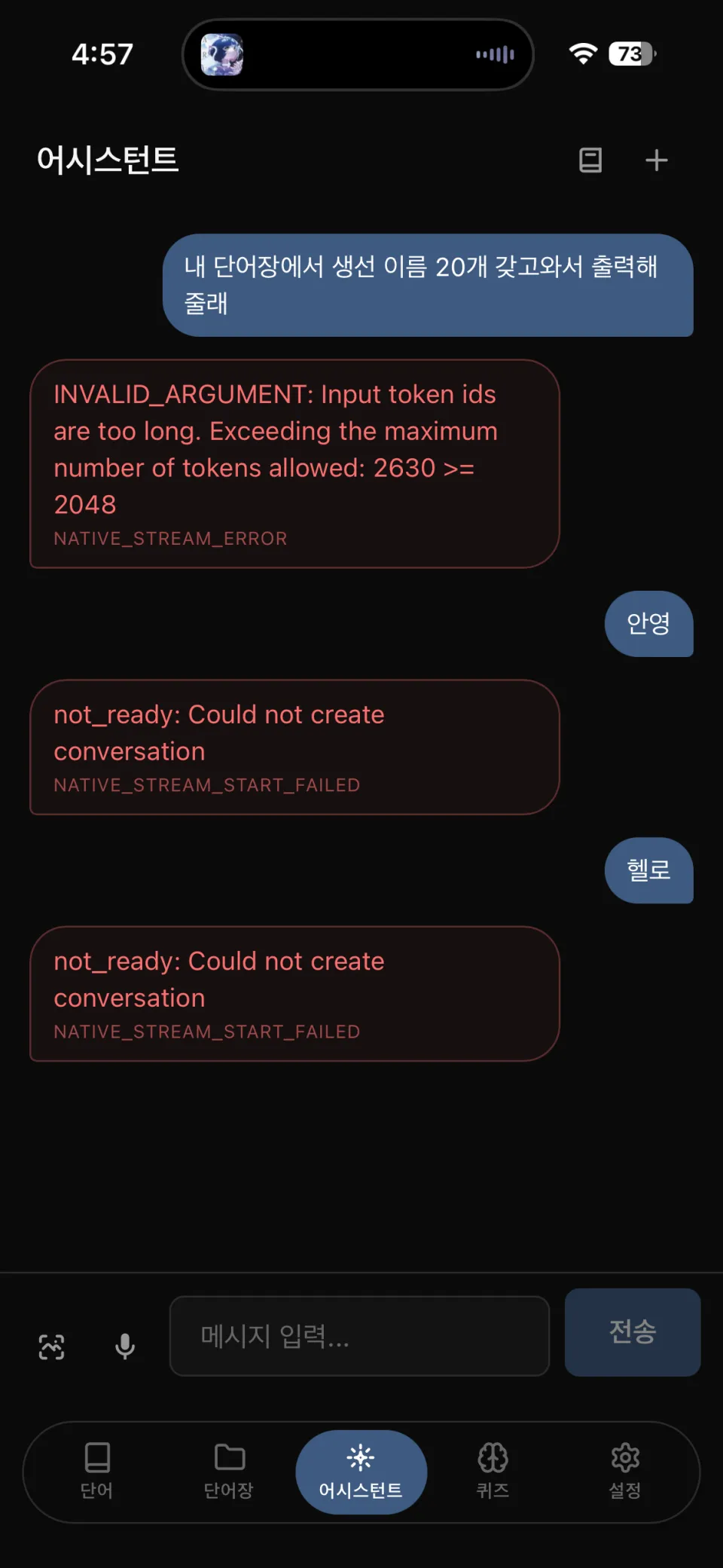
The screens preserve exactly how the on-device LLM failed. Even slightly longer input exceeded the token limit (2048) and was cut off; sessions also frequently failed to open at all.
| Token limit exceeded / session creation failed | Function calling attempt |
|---|---|
 |  |
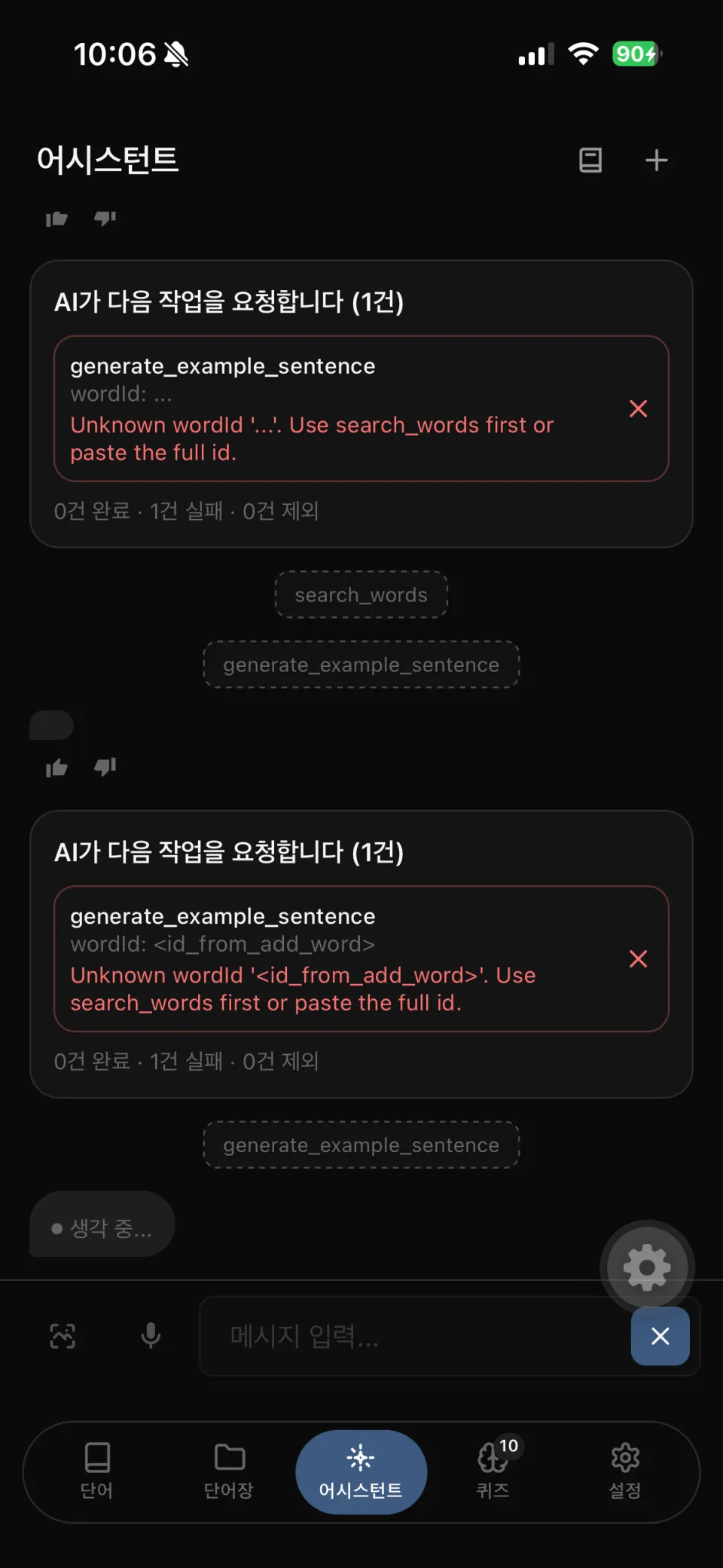
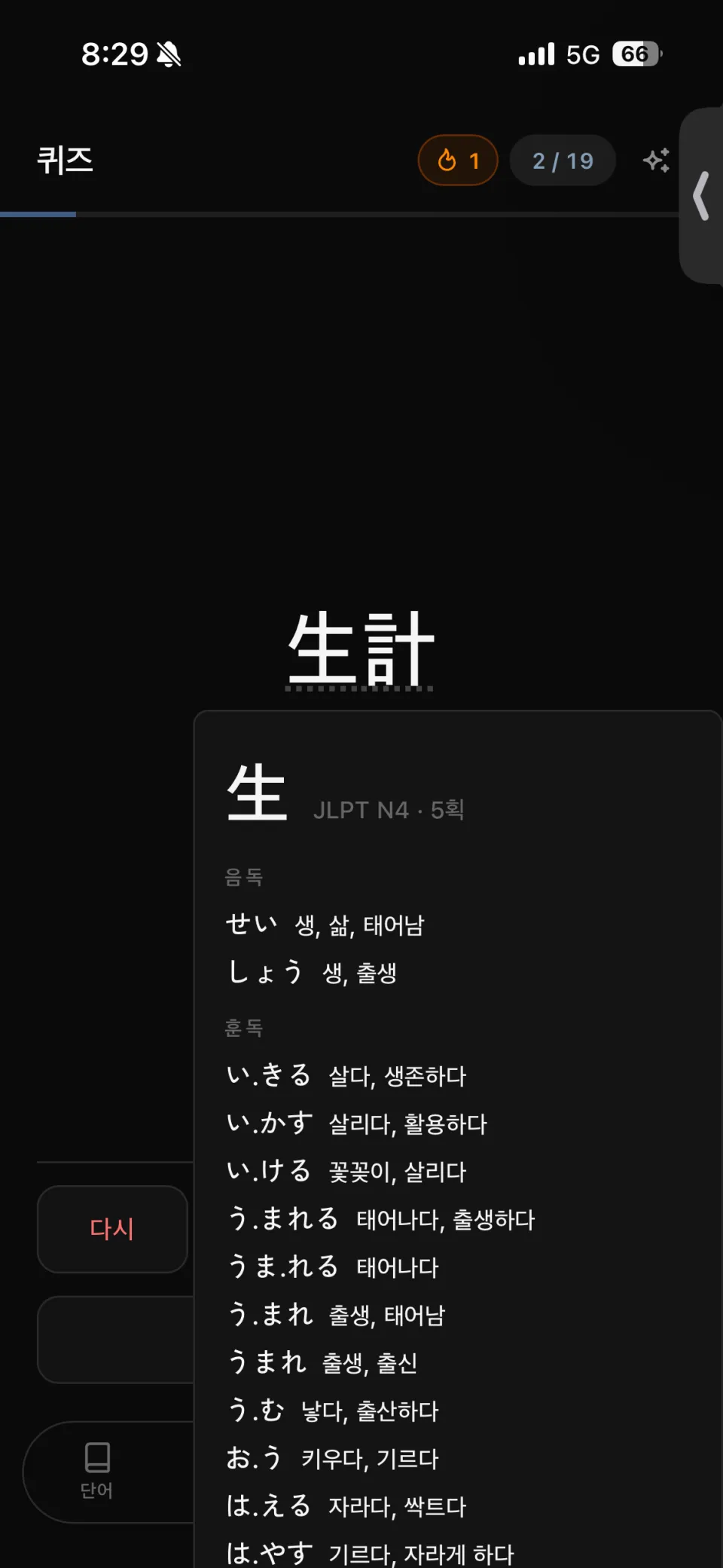
The difference between 「working」 and 「verified」 appeared in the UI too. A kanji detail panel covered the rating buttons: the screen looked fine, but answers could not actually be selected.
| Response failure | Panel covering the rating buttons |
|---|---|
 |  |