Crowfoot
2026-08-03 ~ Present
Intro
This article was written with the help of AI.
Crowfoot is a CLI tool that creates ERDs from database schema files and shares them as static web apps. It is a fork based on Liam ERD, adding saved layouts, notes, colors, and table groups on top of the original diagrams.
An ERD can be difficult to read when it consists only of tables joined by lines. The structure becomes clearer when related tables are placed together, grouped by domain, and annotated beside their relationships. For documentation, that carefully arranged layout also needs to survive refreshes and regeneration.
While using Liam ERD to document a real project’s database structure, I missed the ability to retain moved table positions and leave explanations on the canvas. I also needed MySQL DDL export, so these were the first features I added.
Crowfoot focuses on preserving human-arranged layouts and explanations alongside the schema. The output is a static site that can be served over HTTP without a separate backend.
Links
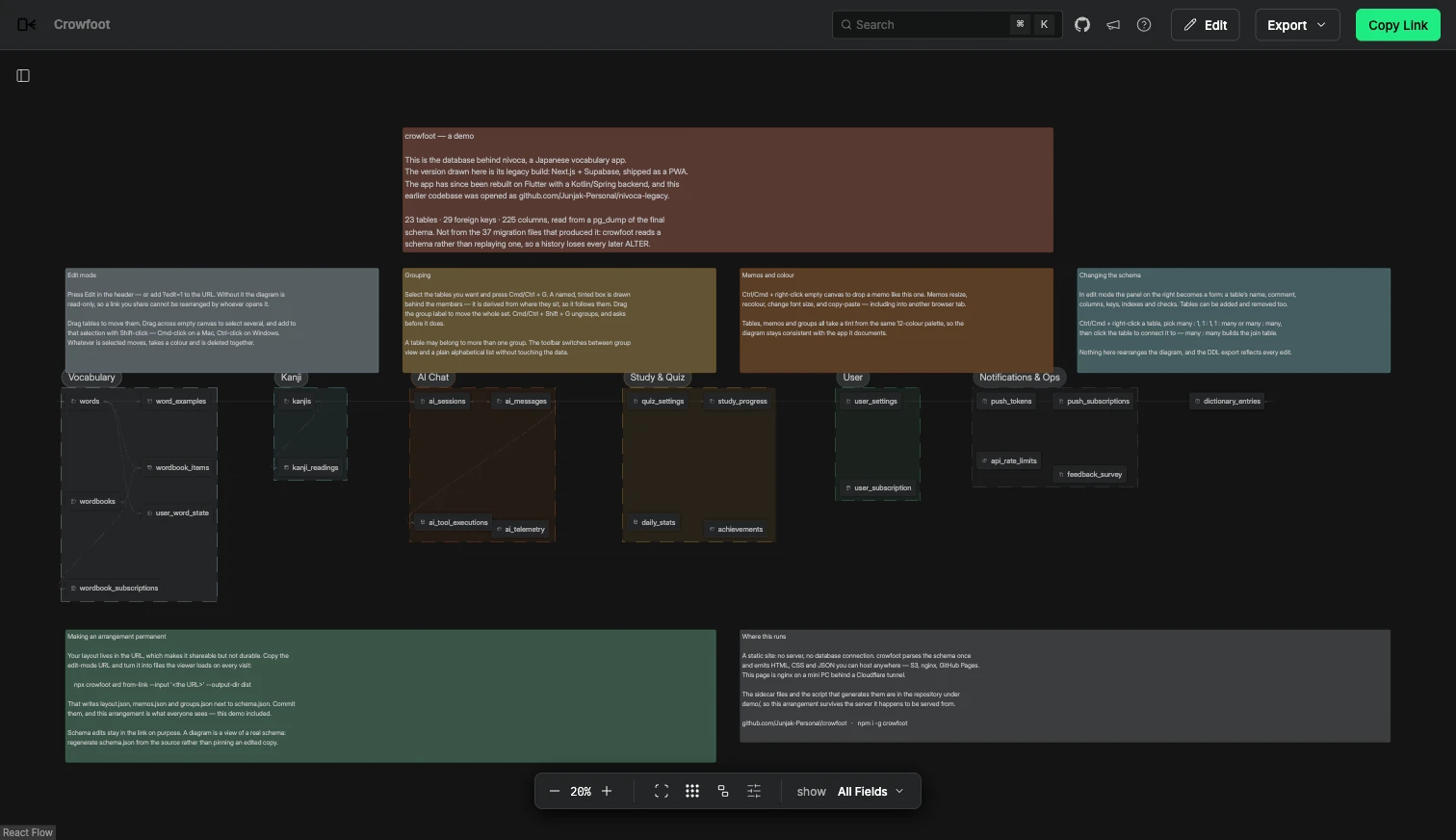
The screenshots at the top and in this article were taken from the public demo. Its schema belongs to the legacy version of NiVoca, separate from the production database of the current Flutter app.
Main features
Layouts that survive reopening
Moved table positions can be included in a URL for sharing. URL edits are applied on top of the deployed layout.json, and the erd from-link command can persist changes from the link into layout, group, and memo files.
Versioning these files with the schema and serving them with the generated site preserves layouts and explanations after rebuilding. Tables that have not been positioned yet use automatic layout, so new tables do not require arranging everything from scratch.
Multiple tables and notes can be selected together to move or recolor them. Related tables can be put in named groups, which appear consistently on the canvas and in the sidebar.
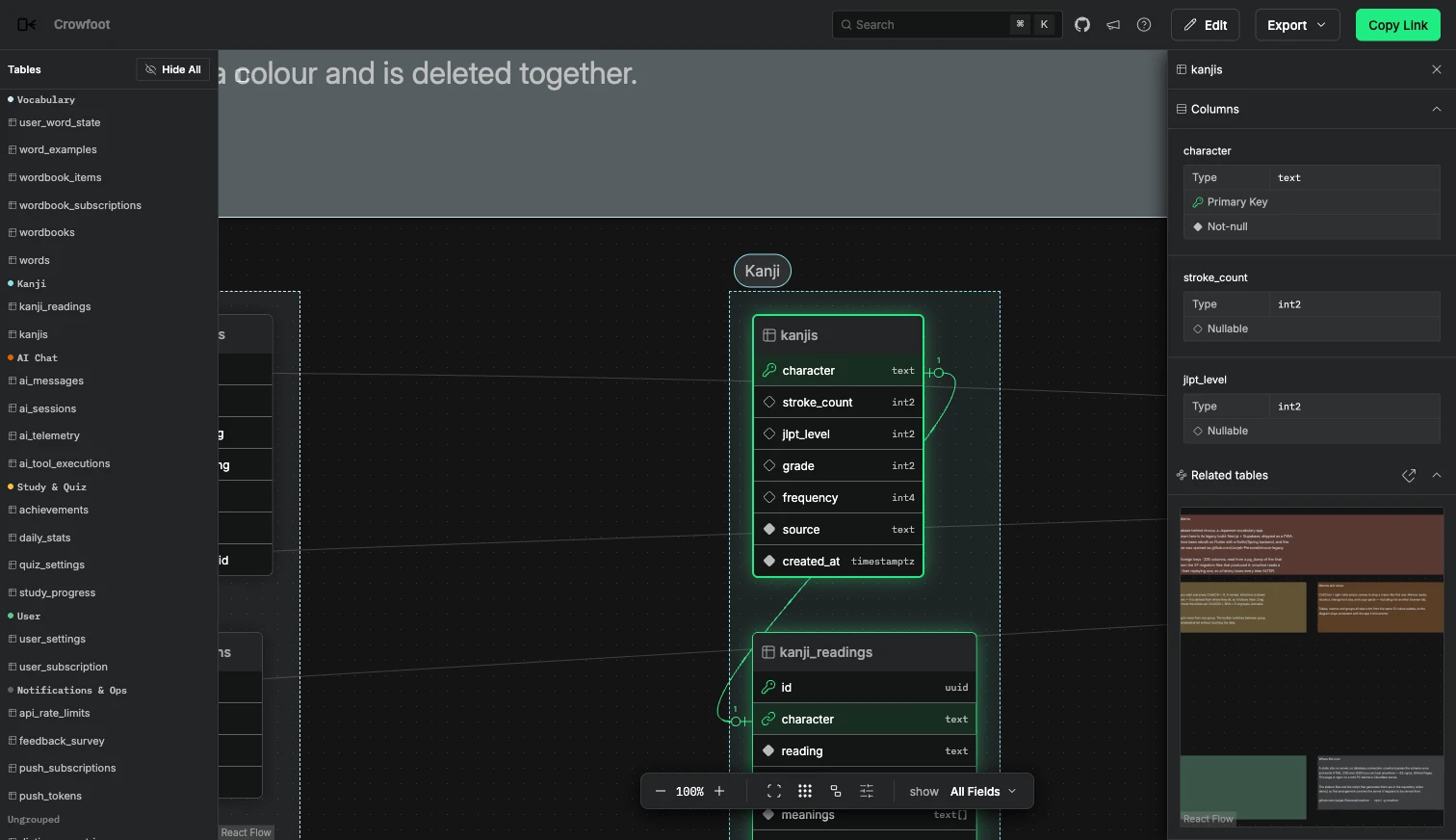
The amount of detail adapts to zoom: columns are shown up close, while table or group names take priority when zoomed out. The same canvas supports moving between the overall structure and a table of interest.
Explanations on the diagram
Notes can be placed on the canvas with adjustable size, color, and font size. They provide a nearby place for business rules or design decisions that tables and relationship lines alone cannot explain.
Layouts, groups, and notes can be kept in layout.json, groups.json, and memos.json, respectively, alongside the schema. Shared ERDs open in read mode by default; layouts and content can only be changed after enabling edit mode.
Editing schemas in the browser
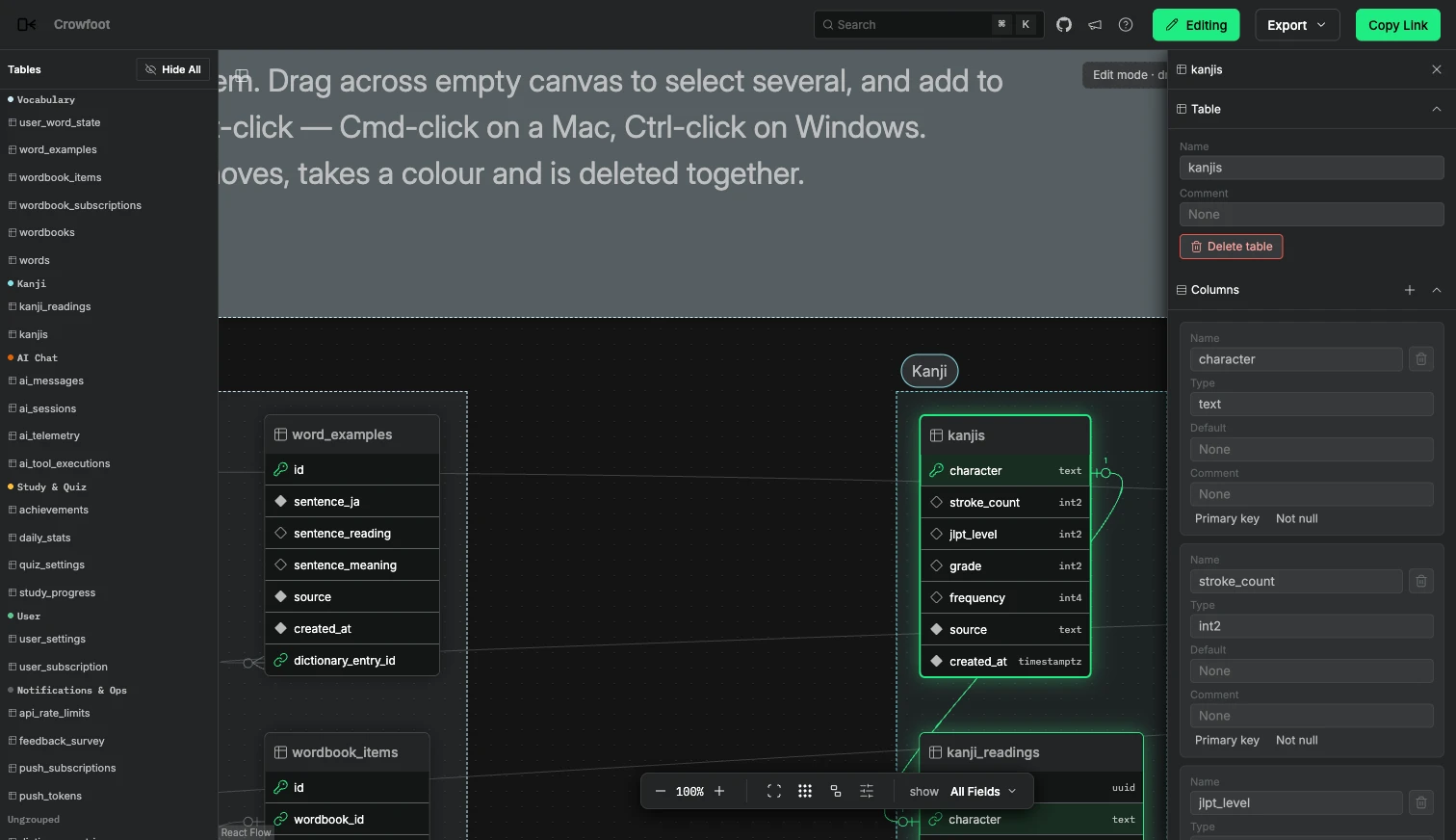
Edit mode supports changes to tables, columns, constraints, and indexes, as well as foreign-key connections. These changes affect the schema within the viewer; they do not execute DDL against a real database.
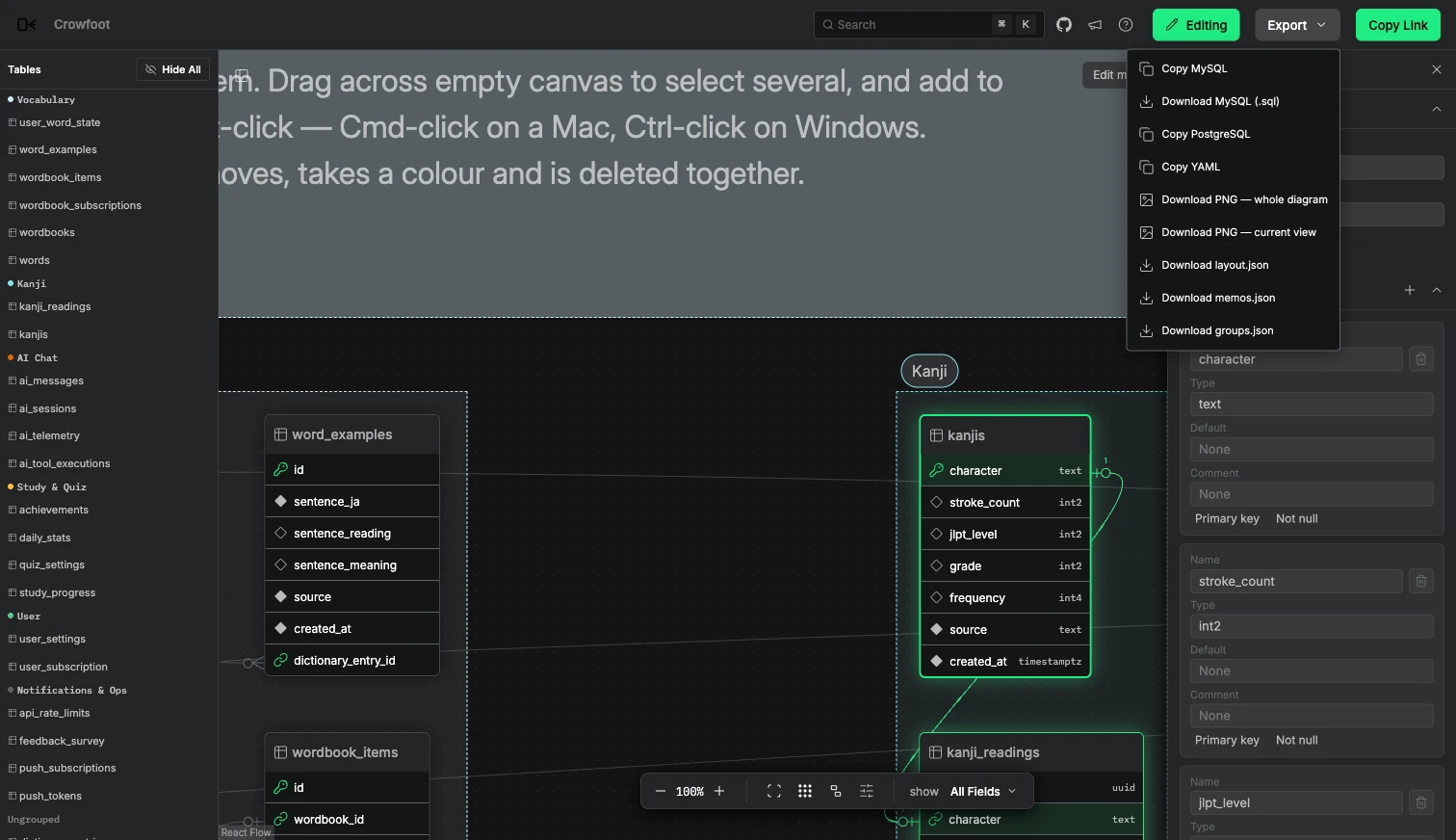
Results can be exported as DDL or images. I added MySQL DDL output to the original export functionality, making it useful for reviewing structures and moving them to other formats.
Generating and arranging with the CLI
Besides PostgreSQL SQL, input formats include Prisma, Rails, Drizzle, and tbls schemas. A simple generation command looks like this.
npx crowfoot erd build --input schema.sql --format postgres --output-dir distnpx serve dist/It also supports reading migration SQL files in order to assemble the final schema. Because SQL is not executed against a database, it cannot reproduce dynamic SQL or changes that depend on data conditions. The --strict option can fail a build rather than silently skip unsupported statements.
erd plan and erd arrange generate layout files from a plan describing table groups, rather than assigning every coordinate individually. AI agents can suggest groups and explanations while leaving placement to the CLI.
Tech stack
| Area | Technologies |
|---|---|
| Base project | Liam ERD, Apache-2.0 |
| Viewer | React, TypeScript, React Flow |
| Automatic layout | ELK.js |
| UI | Radix UI, CSS Modules |
| CLI | Node.js, Commander |
| Build | Vite, pnpm workspace |
| Output | Static SPA, JSON layout, group, and memo files |
Design and implementation
Overall architecture
The CLI that reads schemas and generates output is separate from the browser viewer used to explore and edit that output. Because the result is a static web app, it can be shared without a separate backend.
flowchart TB Input["SQL · ORM schema"] --> CLI["Crowfoot CLI<br/>Parse schema · Generate web app"] CLI --> Static["Static ERD web app"] Metadata["Layout · Groups · Memos JSON"] --> Viewer["React Flow viewer"] Static --> Viewer URL["Edits in the URL"] --> Viewer Viewer --> Export["Share link · DDL · Images"] Viewer --> FromLink["erd from-link"] FromLink --> Metadata| Component | Responsibility |
|---|---|
| CLI | Parse SQL and ORM schemas and generate the ERD web app and related files |
| React Flow viewer | Display tables and relationships, and edit layouts, memos, groups, and schemas |
| Layout, group, and memo files | Store human-organized diagram information separately from the schema itself |
| URL and export paths | Share editing state through links, persist it to files with the CLI, or export it as DDL, images, and other formats |
Revealing omissions in schema parsing
flowchart TB Input["Schema · Migration SQL input"] --> Parse["Parse schema"] Parse --> Unsupported{"Any unsupported statements?"} Unsupported -->|None| Build["Generate static ERD"] Unsupported -->|Yes| Strict{"Strict mode?"} Strict -->|Yes| Fail["Fail build to report omissions"] Strict -->|No| Build Parse -. JSON output .-> Report["Inspect parsing results · Unsupported statements"]Keeping explanations when the schema changes
I separated the data used to build the schema from the information arranged in the UI. Existing table layouts and explanations need to be reapplied when a schema is reread so the diagram can become continuously updated documentation rather than a disposable picture.
Recently I also focused on exposing unsupported input. --json shows parsing results and skipped statements, while input hashes, tool versions, and build times are recorded in the output. Even a polished diagram is hard to trust as documentation if a schema change disappears silently, so these omissions can be checked in automation.
The README and NOTICE also distinguish features added in the fork from those in the original. Crowfoot is not a rebuild of all of Liam ERD: it adds features I needed while using the existing tool and distributes the result under a separate name.